pinch
PublicLoading 3D model… large boards can take a moment.
Pinch: a password storage for nerds
Featuring video
What is Pinch?
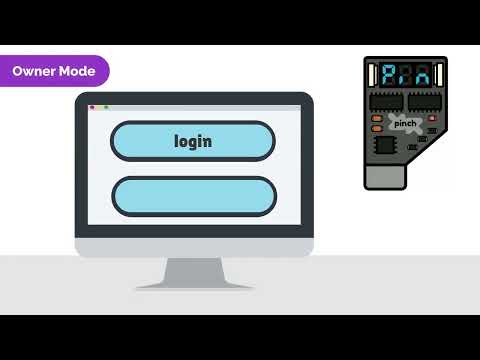
Pinch is an open-source, personal and portable device capable of storing, retrieving and entering your passwords on demand. It is a physical device with no internet access and only works through manual activation. Pinch is the size of a USB flash drive. It has a USB interface, two buttons and a three digit display which are used to select and confirm the desired password. When confirming, simply put the focus on the password field and the Pinch will enter it for you.
How does Pinch work?
Pinch has three modes of operation
- The first state is when your device is locked. To start using it, you need to enter a three-digit PIN, this will prevent others who have easy access to your device.
- The second is the default one, the Owner Mode where Pinch acts like a keyboard. When you plug it into the computer, it can enter passwords as if it were you without anyone seeing it.
- The third one, is the Admin Mode. In this mode you can register new passwords, set parameters and list existing labels via serial communication using a CLI. For security reasons, you cannot retrieve passwords in this mode, only register them. Select the desired slot on the device and enter the label and password on the command line. Disconnect and connect again and the password is now available.
Ask about this board
No comments yet. Be the first to ask about this board.