bioin_tacto
PublicLoading 3D model… large boards can take a moment.

BioIn-Tacto: A Compliant Multimodal Tactile Sensing Module
Hardware X journal paper: BioIn-Tacto: A Compliant Multimodal Tactile Sensing Module
How to cite this repository:
@software{thiago_eustaquio_alves_de_oliveira_2022_7011242,
  author       = {Thiago Eustaquio Alves de Oliveira and
                  Vinicius Prado da Fonseca},
  title        = {{BioIn-Tacto: tactile sensing module design files
                   and source code.}},
  month        = aug,
  year         = 2022,
  publisher    = {Zenodo},
  version      = {v1.0.0},
  doi          = {10.5281/zenodo.7011242},
  url          = {https://doi.org/10.5281/zenodo.7011242}
}
Overview
This repository contain firmware, ROS code and CAD files for the multimodal tactile sensor. The packages have been tested under ROS Melodic and Ubuntu 18.04 LTS.
- ROS code is in the bioin_tacto_ws folder.
- Sensor building CAD files are upload in the CAD folder.
- Firmware files are available in the firmware folder.
This sensing module was developed with a focus on the compliant structure and skin deformation. This module is a research platform that can be built at a lower price (approximately USD$ 35.00, using only 3D printing) than other similar sensors. Moreover, it was designed to capture the skin deformation not available on most tactile sensors in the market.
Authors: Thiago Eustaquio Alves de Oliveira, [email protected] and Vinicius Prado da Fonseca, [email protected]
Affiliation: Department of Computer Science, Lakehead University, Canada; Department of Computer Science Memorial University of Newfoundland, Canada
Installation
- Before do this, please backup important files.
- After following building instructions found in Section 5 from the Hardware X journal paper, BioIn-Tacto: A Compliant Multimodal Tactile Sensing Module you should have a working sensor module that requires a firmware upload to the MCU for serial communication with the main computer.
Dependencies
- Tested using Ubuntu 18.04.
- Tested using Teensy 4.0 MCU.
Firmware Installation
The firmware requires the Arduino environemnt and ROS messages from the bioin_tacto_ws. The following section covers, Arduino, teensyduino, ROS messages and firmware upload instructions.
Install Arduino and Teensyduino
Follow the Command Line Install instructions below, also available here.
$ wget https://downloads.arduino.cc/arduino-1.8.15-linux64.tar.xz
$ wget https://www.pjrc.com/teensy/td_154/TeensyduinoInstall.linux64
$ wget https://www.pjrc.com/teensy/00-teensy.rules
$ sudo cp 00-teensy.rules /etc/udev/rules.d/
$ tar -xf arduino-1.8.15-linux64.tar.xz
$ chmod 755 TeensyduinoInstall.linux64
$ ./TeensyduinoInstall.linux64 --dir=arduino-1.8.15
$ cd arduino-1.8.15/hardware/teensy/avr/cores/teensy4
$ make
Install ROS (Melodic) tested on Ubuntu 18.04
This software is built on the Robotic Operating System (ROS).
Follow Desktop-Full Install: (Recommended) below, also available here.
$ sudo sh -c 'echo "deb http://packages.ros.org/ros/ubuntu $(lsb_release -sc) main" > /etc/apt/sources.list.d/ros-latest.list'
$ sudo apt install curl
$ curl -s https://raw.githubusercontent.com/ros/rosdistro/master/ros.asc | sudo apt-key add -
$ sudo apt update
$ sudo apt upgrade
$ sudo apt install ros-melodic-desktop-full
$ echo "source /opt/ros/melodic/setup.bash" >> ~/.bashrc
$ source ~/.bashrc
$ sudo apt install python-rosdep python-rosinstall python-rosinstall-generator python-wstool build-essential
$ sudo apt install python-rosdep
$ sudo rosdep init
$ rosdep update
Compile the ros bioin_tacto_ws and messages
$ cd <repository_folder>/bioin_tacto_ws/
$ catkin_make
$ source devel/setup.bash
Generate arduino ros_lib library with ROS messages from workspace
$ cd <arduino_directory>/libraries
$ rm -rf ros_lib
$ rosrun rosserial_arduino make_libraries.py .
Tactile module firmware instalation
- Copy firmware/lib/MPL115A2MUX folder to
<arduino_directory>/libraries - Copy firmware/lib/LSMMUX folder to
<arduino_directory>/libraries - Copy firmware/lib/SparkFun_BNO080_Cortex_Based_IMU folder to
<arduino_directory>/libraries - Inside the arduino environemnt open the firmware/bioin-tacto-firmware/LSM9DS0/bioin-tacto-firmware/bioin-tacto-firmware.ino file, compile and upload to the teensy
- OR, if you are using the BNO08X Custom MARG, open the firmware/bioin-tacto-firmware/BNO08X/bioin-tacto-firmware_BNO08X/bioin-tacto-firmware_BNO08X.ino file in the arduino environemnt, compile and upload to the teensy
This firmware was tested using teensy 4.0
How to start?
Launch the module nodes and visualization
$ roslaunch bioin_tacto cell0.launch
OR
$ roslaunch bioin_tacto cell0_BNO08X.launch
Description
Visualize sensor data with rqt or rostopic list
The following topics are available in rqt (rostopic list)
$ rostopic list
/imu/data
/imu/data_raw
/imu/mag
/m_imus_bias_removed
/m_imus_serial
/raw_barometers_teensy
/raw_imus_teensy
/tf
Visualize sensor data with rviz
RViz will open automatically after the cell0.launch is launched. You can visualize the frames of refence and pressure level on a rviz marker.
Validation and Characterization
-
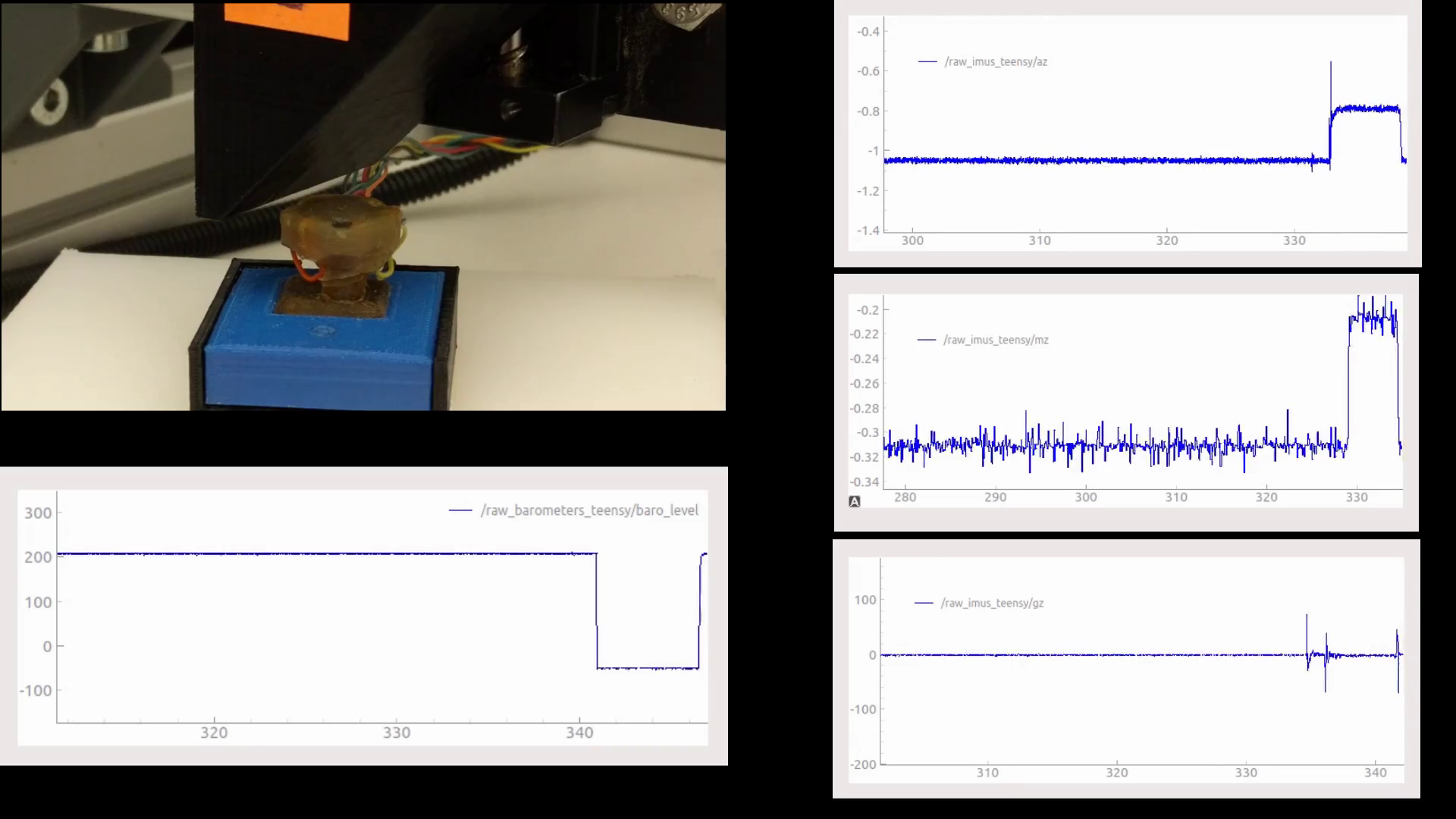
The multimodal tactile sensor validation and characterization, click image to the YouTube video.
Demo
-
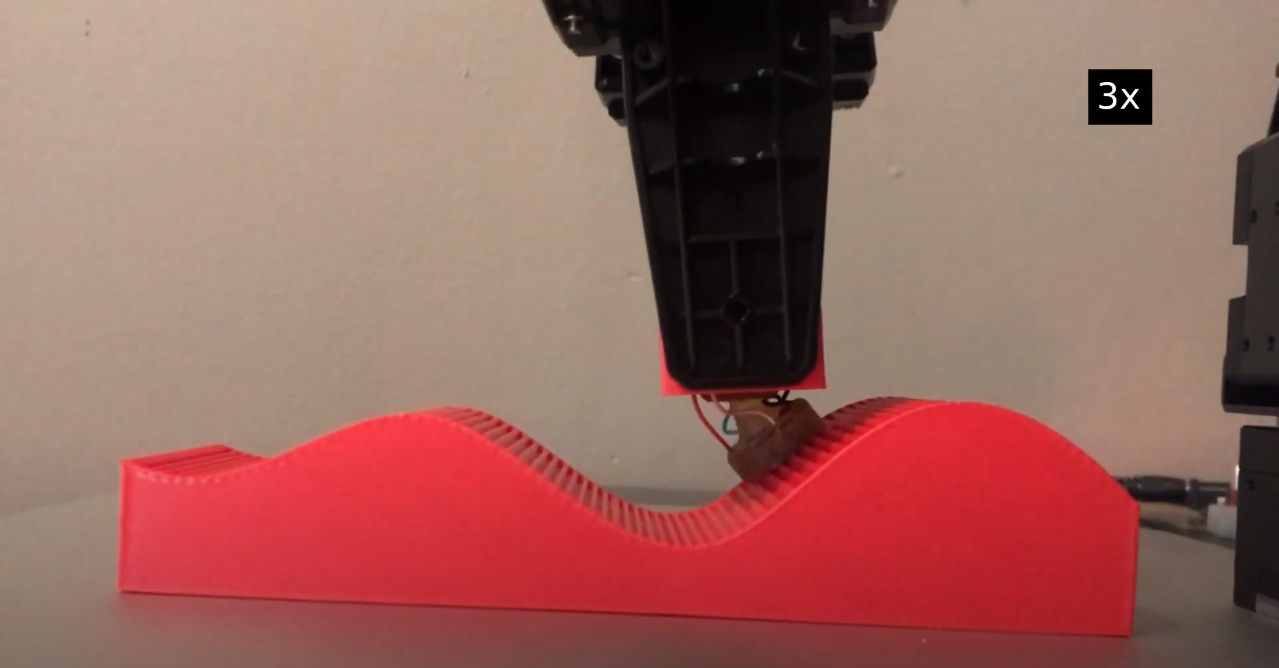
The multimodal tactile sensor used in surface reconstruction, click image to the YouTube video.
License
See LICENSE file.
No comments yet. Be the first to ask about this board.