omnidirectional-manipulator-ros2
PublicLoading 3D model… large boards can take a moment.
Omnidirectional Manipulator Robot using ROS2
Omnidirectional Manipulator Robot using ROS2 and MicroROS.
Table of Contents
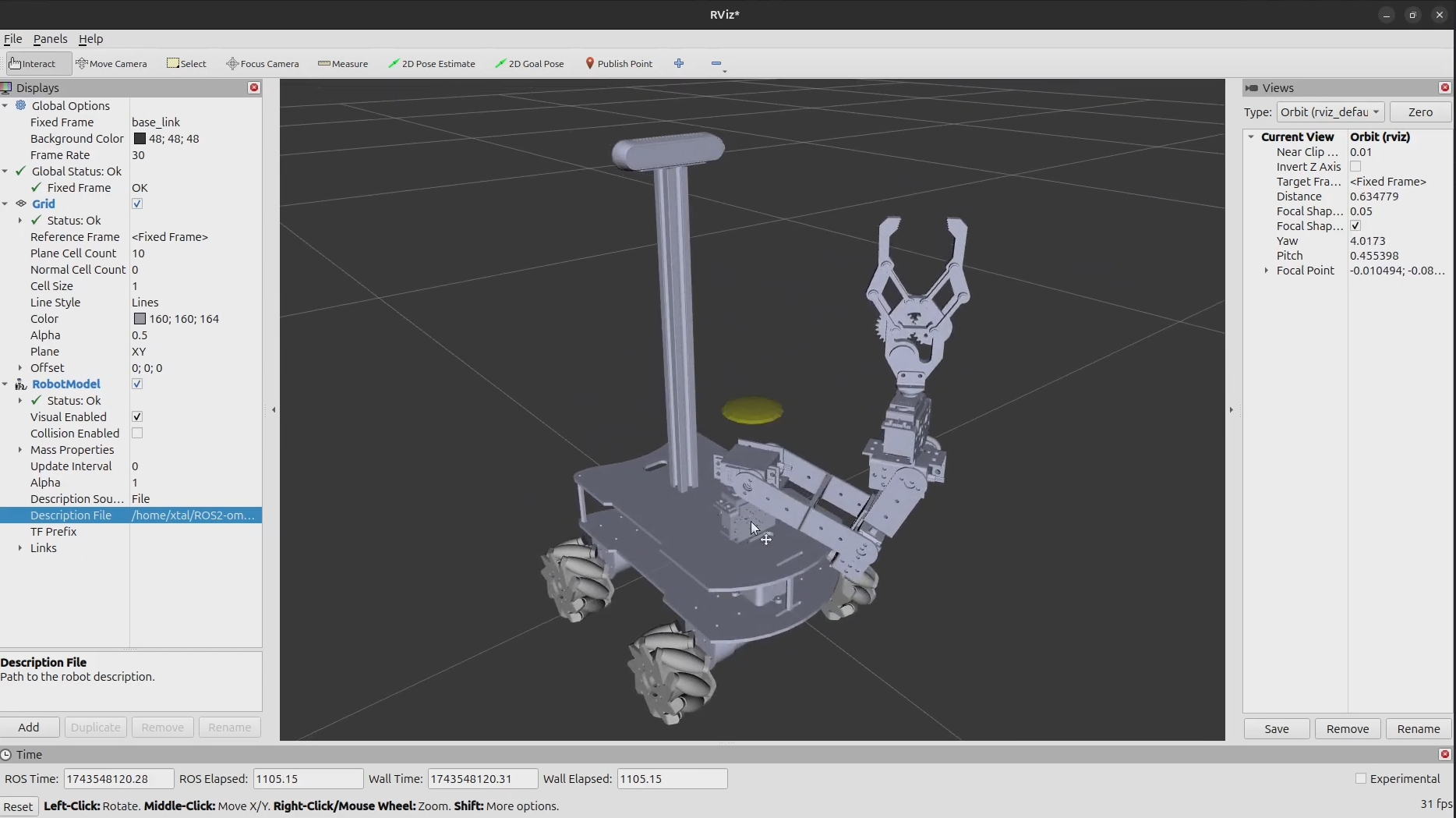
Current Simulation Results
Hardware Requirements
- ESP32.
- JGB37-520 motors.
- H bridge L293D.
- Xbox controller.
- 18650 batteries.
- Raspberry Pi 5 (4gb RAM).
- Arduino Mega 2560.
- MG995 servomotors.
- Intel Realsense D415.
- Lidar Sensor LD19 (LDROBOT).
Software Requirements
In order for the project to work we need to have installed Ubuntu 24.04 LTS Noble Numbat alocated in a partition with a Windows dual boot or as the main Operating System of your machine.
You can try to virtualize it but in my experience, networking and driver problems arouse.
Installation
We need to install ROS Jazzy, you can follow the documentation on how to install it or you can follow and run these few commands inside Ubuntu's terminal:
sudo apt update && sudo apt install locales
sudo locale-gen en_US en_US.UTF-8
sudo update-locale LC_ALL=en_US.UTF-8 LANG=en_US.UTF-8
export LANG=en_US.UTF-8
sudo apt install software-properties-common
sudo add-apt-repository universe
sudo apt update && sudo apt install curl -y
sudo curl -sSL https://raw.githubusercontent.com/ros/rosdistro/master/ros.key -o /usr/share/keyrings/ros-archive-keyring.gpg
echo "deb [arch=$(dpkg --print-architecture) signed-by=/usr/share/keyrings/ros-archive-keyring.gpg] http://packages.ros.org/ros2/ubuntu $(. /etc/os-release && echo $UBUNTU_CODENAME) main" | sudo tee /etc/apt/sources.list.d/ros2.list > /dev/null
sudo apt update && sudo apt install ros-dev-tools
sudo apt update
sudo apt upgrade
sudo apt install ros-jazzy-desktop
Controller Setup
You can use any controller listed in the documentation. I'm personally using an 8bitdo Ultimate C 2.4GHz. It is not a Xbox Controller per se but I managed to find some drivers to trick Linux into thinking it is a generic Xbox Controller (you can find the post here):
touch /etc/udev/rules.d/99-8bitdo-xinput.rules
sudo nano /etc/udev/rules.d/99-8bitdo-xinput.rules
Inside 99-8bitdo-xinput.rules you type the following and save:
ACTION=="add", ATTRS{idVendor}=="2dc8", ATTRS{idProduct}=="3106", RUN+="/sbin/modprobe xpad", RUN+="/bin/sh -c 'echo 2dc8 3106 > /sys/bus/usb/drivers/xpad/new_id'"
Reload udevadm service
sudo udevadm control --reload
You also need to make your joystick device accesible:
ls -l /dev/input/jsX
You will see something similar to:
crw-rw-XX- 1 root dialout 188, 0 2009-08-14 12:04 /dev/input/jsX
We need to change XX to rw:
sudo chmod a+rw /dev/input/jsX
Project Setup
Clone this repository:
git clone https://github.com/Xtalism/ROS2-Omni-Manipulator.git
We need to source, install dependencies and compile our workspace just as follows:
Sourcing ROS2:
source /opt/ros/${ROS_DISTRO}/setup.bash
Sourcing the project:
cd ros2_ws/
source install/setup.bash
Installing dependencies and compiling the project:
rosdep install --from-paths src --ignore-src -r -y
colcon build --symlink-install
To run any package or launch file"
ros2 run <package_name> <program_name>
ros2 launch <package_name> <launch_file>
No comments yet. Be the first to ask about this board.